
Laser cut files
Pick a piece, type a name and download the file. 5 free downloads a day with a free account.

Letter with Name & Symbol
A big initial with a name and a symbol on top.

Unicorn Name Sign
A round unicorn sign with a name on its band.

Dino Name Sign
A round dino sign with a name on its band.

Leaf Name Ornament
A round ornament with leafy branches and a name on its band.

Butterfly Name Ornament
A round ornament with a butterfly in filigree and a name on its band.

Floral Name Frame
A floral split frame with the name holding it together.

Bone Base Dog Ornament
A dog ornament resting on a big bone with the name.

Bone Crown Dog Ornament
A dog ornament crowned by a bone with the name.

Bone Tag Dog Ornament
A round dog ornament with the name on a bone tag.

Bone Window Dog Ornament
A round dog ornament with the name in a bone window.

Name Band Dog Ornament
A round dog ornament with the name on a band.

Snow Globe Dog Ornament
A dog photo in a snow globe, the name on its base.

Snowflake Split Name Ornament
A round snowflake ornament split by a name.

Branching Snowflake Ornament
A snowflake of branching arms with a name across it.

Chunky Snowflake Ornament
A bold, chunky snowflake with a name across it.

Diamond Snowflake Ornament
A snowflake with diamond tips and a name across it.

Feathered Snowflake Ornament
A feathered snowflake with a name across it.

Lace Snowflake Ornament
A filigree snowflake with a name across it.

Botanical Name Sign
A tall sign with your name cut down a bar beside leafy branches.

Rose with Name
A long-stemmed rose with your name along the stem.

Baby Onesie Gift Card Holder
A onesie, a teddy and a rattle round the gift card.

Bauble Gift Card Holder Ornament
A big round bauble that holds a gift card.

Birthday Cake Gift Card Holder
A candle-lit birthday cake under the gift card.
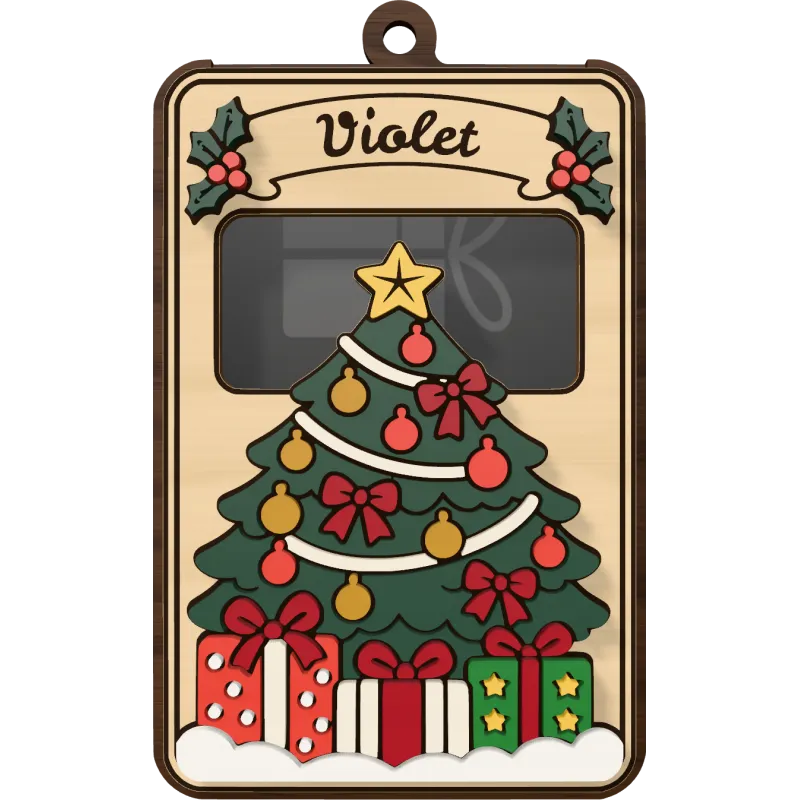
Christmas Tree Gift Card Holder
A decorated tree with presents under the card.

Dinosaur Birthday Cake Topper
A party-hat T-rex in a ring of balloons, the birthday words on the band.

Easter Egg Gift Card Holder
A chick hatching from a painted egg under the gift card.

Gift Card Holder
A gift card holder with gifts around the name.

Gingerbread House Gift Card Holder
An iced gingerbread house with the card in its gable.

Gingerbread Initial Ornament
A smiling gingerbread man peeking over a big initial.

Gnome Gift Card Holder
A Christmas gnome hugs a heart under the card.

Heart Names Wedding Cake Topper
Two interlocked hearts in a wreath of roses, your names on the banner.

Lucky Horseshoe New Year Ornament
A horseshoe with a four-leaf clover, good luck for the new year.

Midnight Clock New Year Sign
A clock striking midnight under fireworks, with a party hat, clinking glasses and your words on a gold ribbon.

Paw Print Initial Ornament
A floppy-eared puppy peeking over a big initial, a bone below.

Santa Hat Initial Ornament
A big initial wearing a Santa hat, the name written across it.

Snowman Gift Card Holder
A waving snowman in a top hat under the card.

Thanks a Latte Gift Card Holder
A smiling latte that says thank you with a coffee card.

Toolbox Gift Card Holder
A red toolbox full of tools holds Dad's gift card.

Wedding Rings Gift Card Holder
Two linked rings on pink roses, the card behind them.

Multilayer Relief
Any black and white image as a relief of stacked layers.

City Map
Any place as a layered map with roads, water and a title.

Acanthus Photo Stand
An ornate stand with a leafy cut-out up the post.

Arc Photo Stand
A stand drawn as one bent band.

Baroque Photo Stand
An ornate stand with a scroll and a flourish.

Blossom Photo Stand
A stand filled with four-petal blossoms.

Brick Photo Stand
A stand with a woven, brick-like grid.

Cobweb Photo Stand
A stand with a spider’s web in its corner.

Corbel Photo Stand
A stand shaped like a carved shelf bracket.

Cubes Photo Stand
A stand with a tumbling-blocks pattern.

Facet Photo Stand
A geometric stand drawn in straight facets.

Flower Photo Stand
A stand with rows of fan-shaped flowers.

Grain Photo Stand
A stand with lines like wood grain.

Honeycomb Photo Stand
A stand with a honeycomb up the post.

Lattice Photo Stand
A stand filled with a geometric lattice.

Leaf Scroll Photo Stand
A stand on a foot that curls into scrolls.

Love You Photo Stand
A stand with love and you cut into its feet.

Plain Tee Photo Stand
The simplest stand: a straight post and foot.

Ripple Photo Stand
A stand with rows of wavy ripples.

Rococo Photo Stand
A stand of spiral scrolls and curls.

Rose Photo Stand
A stand with a rose cut into the post.

Slim Cross Photo Stand
A minimal stand of two slim, straight strips.

Square Photo Stand
A stand with nested squares up the post.

Trellis Photo Stand
A stand of open cells like a garden trellis.

Vine Photo Stand
A stand with climbing vines cut through it.

Volute Photo Stand
A classic stand whose foot ends in a scroll.

Wave Photo Stand
A stand whose back sweeps down in one long curve.

Weave Photo Stand
A curved stand with a woven hexagon pattern.
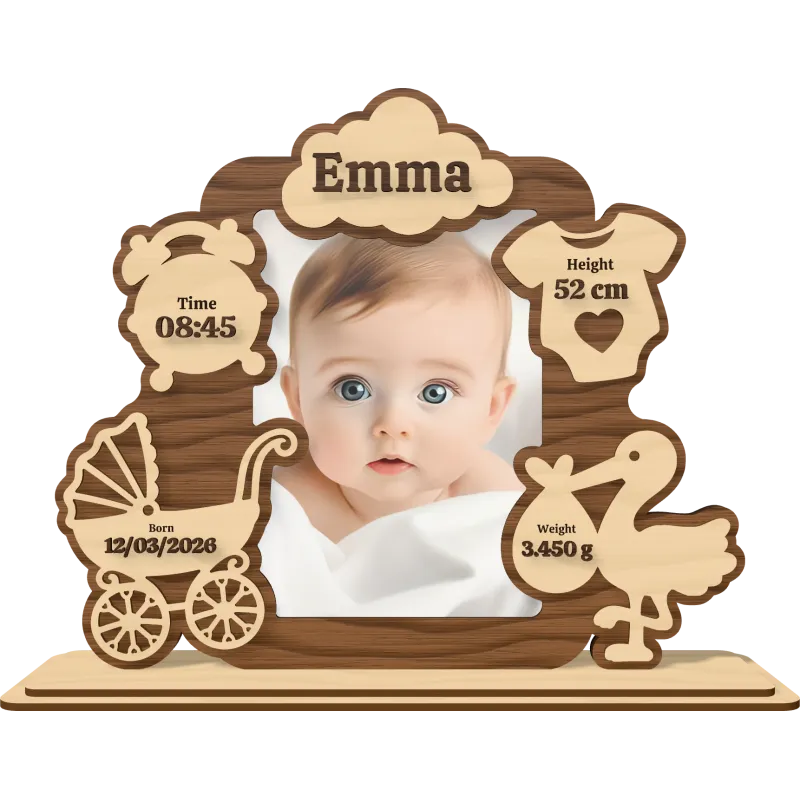
Baby Birth Sign
A birth sign with the baby’s photo, name and birth details.

Double Heart Sign
Two names and a date in two joined hearts.

Baby Footprint Sign
A round baby sign with footprints, a ribbon and the birth details.

Tree of Love Couple Sign
A couple in a heart of branches, your names below.

Heart Arrow Sign
A heart with an arrow and your initials.

Love Paw Sign
LOVE with a paw print and your pet’s name.

Moon Silhouette Love Letter Sign
A crescent moon profile, a heart per name and a poem.

Couple Initials
Two initials joined by a symbol, with both names.

Bone Name Sign
A dog bone with your dog’s name, its year and a paw.

Paw Name Sign
A paw print with your pet’s name.
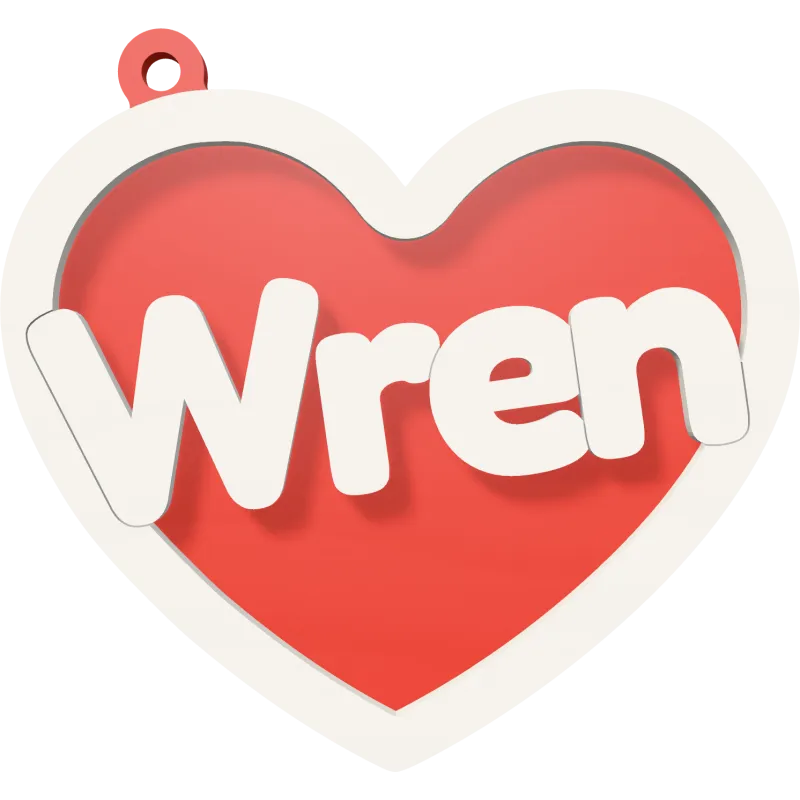
Heart Name Ornament
A heart with a big name across it.

Photo Frame with Words
A photo frame with a word on top and your message.

Letter Frame Name
A big initial with the name running inside it.

Offset Name Sign
Your name on a soft offset border.
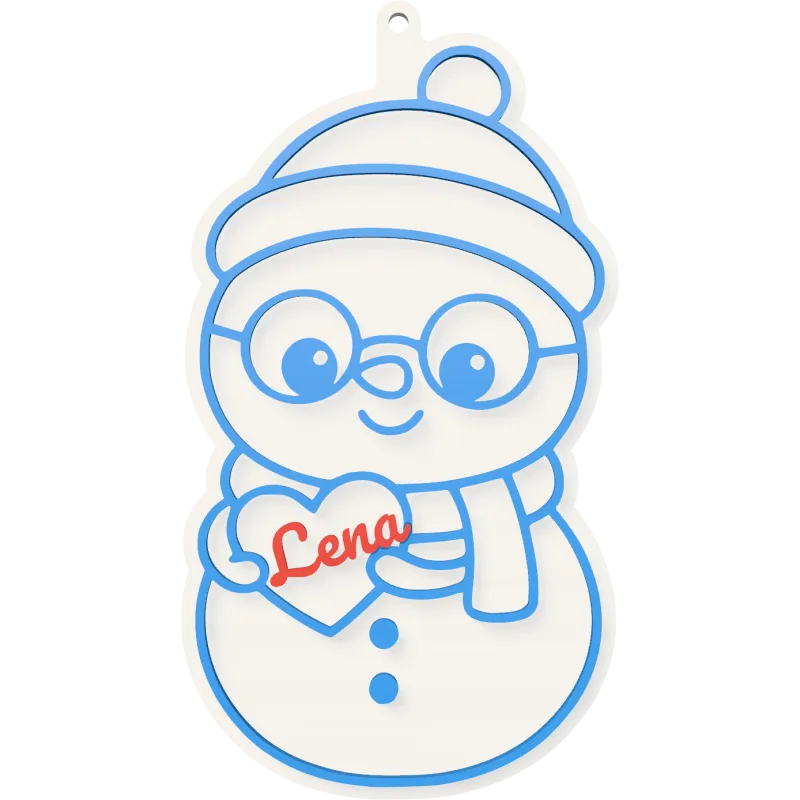
Snowman Name Sign
A snowman holding a heart with your name.

Name Lamp
A glowing lamp with two names and a date.

Parents Lamp
A glowing lamp with two hearts, two names and your words.

Rings Lamp
A glowing lamp with two rings, two names and a date.

Birth Lamp
A glowing lamp with hands holding a heart, the baby’s name and birth date.

Love Story Lamp
A glowing lamp with hands holding a heart, your names, a quote and a date.

Infinity Lamp
A glowing infinity sign with two names and a date.

Calendar Sign
A month calendar with your special day as a heart.

Family Word Tiles
Your family’s names as a crossword of letter tiles.

Broken Heart Keychains
A heart split into two keychains, one name on each.

Cake Topper
Your own words on a cake topper with two spikes.

Puzzle Heart Keychains
A heart in two puzzle pieces, one name on each keychain.

Flower Photo Frame
A round photo framed by orchids and flowers, with your words.

Heart Photo Frame
A round photo framed by hearts, with a date and your names.

Horse Photo Frame
A round photo framed by a horseshoe and a horse, with your words.

Bird Wreath Name Sign
A wreath with a bird and your name on a hanging plate.

Star Photo Frame
A round photo framed by a shooting star and stars, with your words.

Football Photo Frame
A round photo framed by a football and a player, with your words.

Hanging Hearts Stand
A standing heart with two hanging hearts, your names and your words.

Pacifier Name Sign
A pacifier with the baby’s name along its ring.

Bear Family Puzzle
A bear for every member of the family, each lifting out of the board.
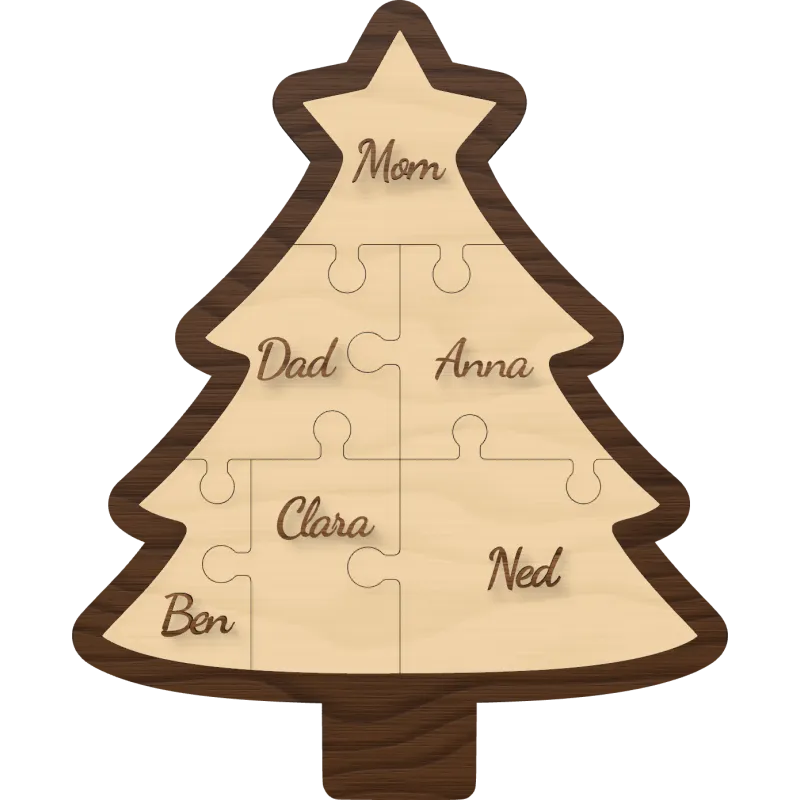
Christmas Tree Family Puzzle
A Christmas tree jigsaw with a star on top and a name on every piece.

Farm Animals Name Puzzle
A child’s name in chunky letters between a cow and a pig.

House Family Puzzle
A house-shaped jigsaw with a piece for everyone who lives there.

Koala Family Puzzle
Fluffy-eared koalas holding their names, one for everyone in the family.

Name Puzzle
A jigsaw puzzle with a name on every piece.

Penguin Family Puzzle
A waddle of penguins with a name on every belly.

Candy Cane Name Sign
Two candy canes with a name across the middle.

Candy Cane Bow Sign
Two crossed candy canes with a bow and a name.

Stacked Name Keychain
A name stacked letter on letter, as a keychain.

Peeking Cat Name Sign
A cat peeking over a name.

Split Cat Name Sign
A cat climbing over a name between two lines.

Cat Paws Name Sign
A kitten holding on to a name with both paws.

Kitchen Name Sign
Kitchen utensils with a name between the lines.

Bear Family Keepsake Box
A hinged wooden box with a mother bear and her cub on the lid.

Hinged Heart Frame
A heart that opens like two doors onto your photo.

Flower Name Sign
A flower spray split by two lines, with a name in between.

Split Monogram
A big letter split by a band with your name.
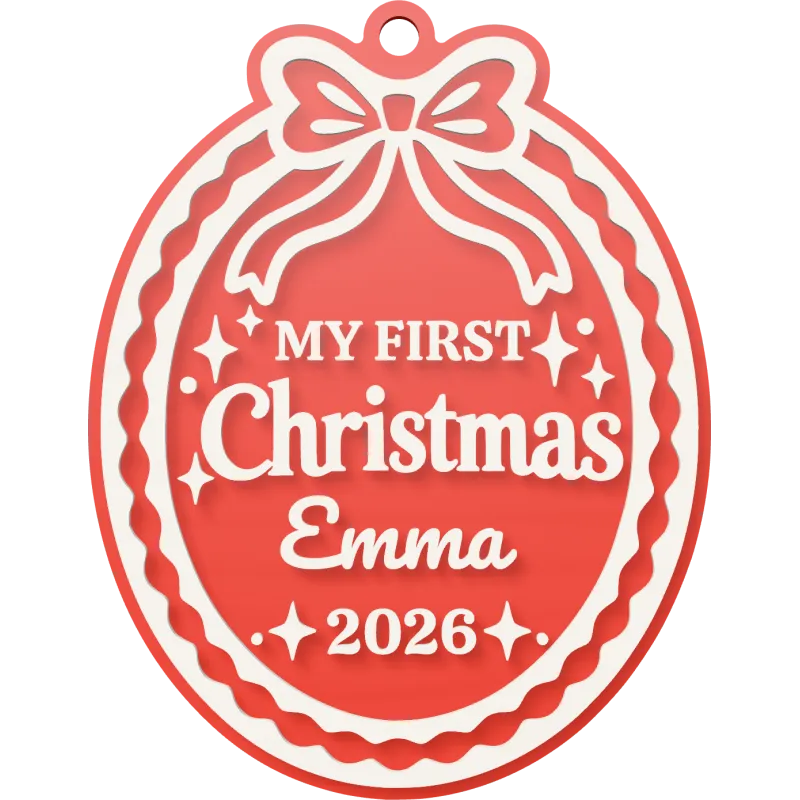
My First Christmas Name Ornament
An oval bow ornament for a baby’s first Christmas.

Baby Reindeer Name Ornament
A smiling baby reindeer with a bow, the name and year below.

Reindeer Name Ornament
Two reindeer in a snowy forest, a name on the banner.

Fist Bump Name Sign
A dad’s fist and a child’s, a name on each.

Reindeer Initial Ornament
A peeking reindeer, a big initial and the name below.

Graduation Diploma Hand Sign
A raised hand with a diploma, the name, degree and year.

Holding Hands Heart Sign
Two hands held, their arms forming a heart, a name on each.

Angel Wings Memorial Photo Frame
Angel wings round a heart photo, a name and dates in memory.

Baby Carriage Birth Stats Photo Frame
A baby carriage with a photo window, the name and birth stats.

Elephant Balloons Birth Stats Sign
A baby elephant with balloons, the name on a ribbon, the birth stats on flags.

Girl Wine Sign
A glass raised, her name on the strap, dirty30 below.

Lion Moon Birth Sign
A baby lion on the moon, the name and birth details in the clouds.

Love Notes Puzzle Photo Frame
Twelve love notes on puzzle pieces round a heart photo.

Beer Mug Name Sign
A frothy beer mug, his name up the side, the age on the foam.

Lioness Moon Birth Sign
A lion cub asleep on the moon, her name on top and the birth stats in the clouds.

Baby Bow Name Ornament
A scalloped baby ornament with a bow, the name and the birth details.

Best Dad Name Sign (boy)
A dad and his boy walking hand in hand, BEST DAD below.

Balloon Bear Name Sign
A hot air balloon with the name on a cloud and a little bear in the basket.

Best Grandpa Name Sign (boy)
Grandpa and his grandson in a cap, side by side above BEST GRANDPA.

Best Grandpa Name Sign (girl)
Grandpa and a little one hand in hand, BEST GRANDPA on the bar.

Best Dad Name Sign (girl)
A dad and his little girl hand in hand, BEST DAD below.

Best Mom Name Sign (girl)
Mom and her girl hand in hand, BEST MOM on the bar beneath.

Best Mom Name Sign (boy)
A mom and her little boy hand in hand, BEST MOM underneath.

Best Grandma Name Sign (girl)
Grandma and her little one walking together, BEST GRANDMA below.

Best Grandma Name Sign (boy)
Grandma and her grandson out for a walk, BEST GRANDMA below.

Wine Glass Name Sign
A raised wine glass with a heart, her name on the rim and the age on the swirl.

Flower Vase Birthday Sign
A bouquet in a round vase, the name on its bar and the age below.

Swing Heart Couple Sign
A couple on a swing inside a heart, their two names in the box below.

Dad Little Hands Sign
Dad’s big hand holding the little ones, a name in each.

Sleepy Bunny Baby Birth Sign
A bunny asleep under its blanket, the name below and the birth stats on stars.

Master Mechanic Name Sign
A fist gripping a wrench, a title above, the name up the arm and the year.

Mom Little Hands Sign
Mom’s hand holding the little ones, a name in each.

Butterfly Name Sign
A smiling butterfly among flowers, the name on its band.

Master Machinist Name Sign
A fist holding a caliper, a title on its bar, the name and the year.

Giraffe Name Sign
A baby giraffe in the leaves, the name on its band.

Sleeping Fawn Name Sign
A fawn asleep between flowers, the name in a script above.

Sleepy Whale Name Sign
A little whale asleep on the sea floor, the name in a script above.

Teddy Bear Moon Birth Sign
A teddy asleep in the moon, the name on its arc, the birth stats in the clouds.

Sleeping Lion Moon Birth Sign
A lion cub napping in a crescent moon, its name on the arc, the birth details in clouds.
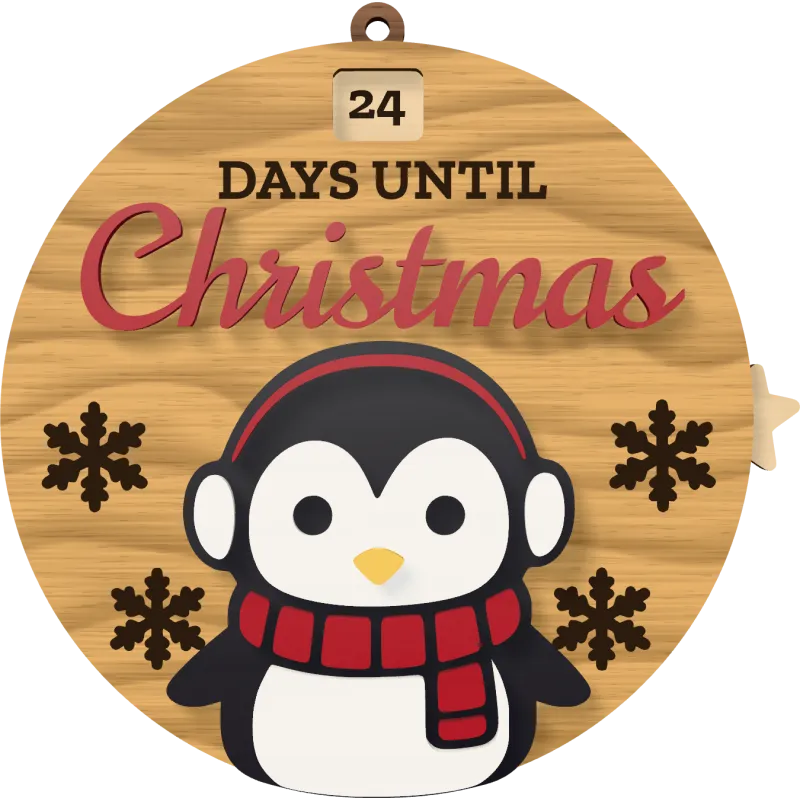
Penguin Advent Calendar Wheel
Turn the star each morning and the window shows how many days are left until Christmas.

Reindeer Advent Calendar Wheel
A red-nosed reindeer counts down to Christmas: one turn of the star a day.

Gingerbread House Advent Calendar Wheel
A snowy gingerbread house with glowing windows counts the days until Christmas.

Holding Hands Name Sign
Two hands held tight, a name on each arm and your date on the bar below.

Trophy Name Sign
A trophy cup with your champion’s name on the rim and a year or number inside.

Paw Angel Wings Memorial Ornament
A paw print with angel wings and a saying for a pet that is missed.

Bride and Groom Arch Sign
A bride and groom under a heart in an arch, your names and the wedding date beside them.

Swirl Heart Couple Sign
A bride and groom beside a heart of swirls, your two names in the heart.

Polar Bear Christmas Eve Ornament
A polar bear in a red scarf watching Santa’s sleigh fly by, a name in the snow.

Reindeer Letter Name Ornament
A reindeer head shaped by a big initial, the name written across it.

Baby Overalls Birth Stats Photo Frame
Little overalls on a hanger with a photo, the name and the birth stats.

Rocket to the Moon Birth Stats Sign
A rocket, three planets with the birth stats and the name above the moon.

Cardinal Snowflake Memorial Ornament
A wooden cardinal set into the ring, a big word across it and a loved one’s name.

Graduation Cap Year Name Sign
The graduation year with a cap on top and the graduate’s name written across it.

Deer Forest Family Name Sign
A stag and a doe in the woods, the family name on the band below.

Rose Heart Couple Name Sign
Two names and the date you began, framed by a heart of roses.

Baby Lion Name Sign
A smiling baby lion among jungle leaves, the first and last name below.

Floral Unicorn Name Sign
A unicorn over a bed of roses, the name framed below.

Triceratops Name Lamp
A glowing triceratops night light with a name below.

T-Rex Name Lamp
A grinning T-rex night light with a name underneath.

Stegosaurus Name Lamp
A spotted stegosaurus night light with a name below it.

Christmas Boot Name Ornament
A Santa boot with holly, a candy cane and the name on a plate.

Puzzle Heart Hands Family Sign
Two hands hold a puzzle heart, a family name on every piece.

Entwined Tree Couple Ornament
Two trunks twist into a heart, your names on them and your date on a little tag.

Family Christmas Tree Ornament
A tree with a tier for every name and the family name on its pot.

Holly Stocking Name Tag
A scalloped stocking tag with a sprig of holly and the name.

Nutcracker Name Ornament
A nutcracker soldier holding a banner with the name.

Snow Globe Family Ornament
A snow globe with a Christmas scene inside and the family name on its base.

Significant Otter Couple Sign
Two otters cheek to cheek, holding a heart with your names.

Love Birds Couple Ornament
Two love birds on a branch, a heart on their heads, your names below.

Penguin Couple Ornament
Two penguins in scarves, a name on each belly and the year in the snow.

Baby Dress Birth Stats Photo Frame
A sweet pinafore dress on a hanger that holds her first photo and birth stats.

Mr and Mrs Cake Topper
A leafy wreath with a band for Mr & Mrs and your name.

Anchor Couple Sign
A ship’s anchor with your names along its arms and your date.

Santa Letter Envelope Ornament
An open envelope with a pocket for a real letter to Santa.

Swan Heart Couple Sign
Two swans whose necks form a heart over your names.

Elephant Couple Sign
Two elephants whose trunks hold a heart over your names.

Giraffe Couple Sign
Two giraffes whose long necks draw a heart.

Flamingo Couple Sign
Two flamingos in the tropics, their necks shaping a heart.

Candy Cane Name Ornament
Two crossed candy canes in a ring, the name on a ribbon.

Bear Hug Couple Sign
Two teddy bears in a big hug in front of a heart.

Dog Couple Sign
Two puppies nose to nose with a heart between them.

Coffee Couple Sign
Two coffee mugs whose steam curls into a heart.
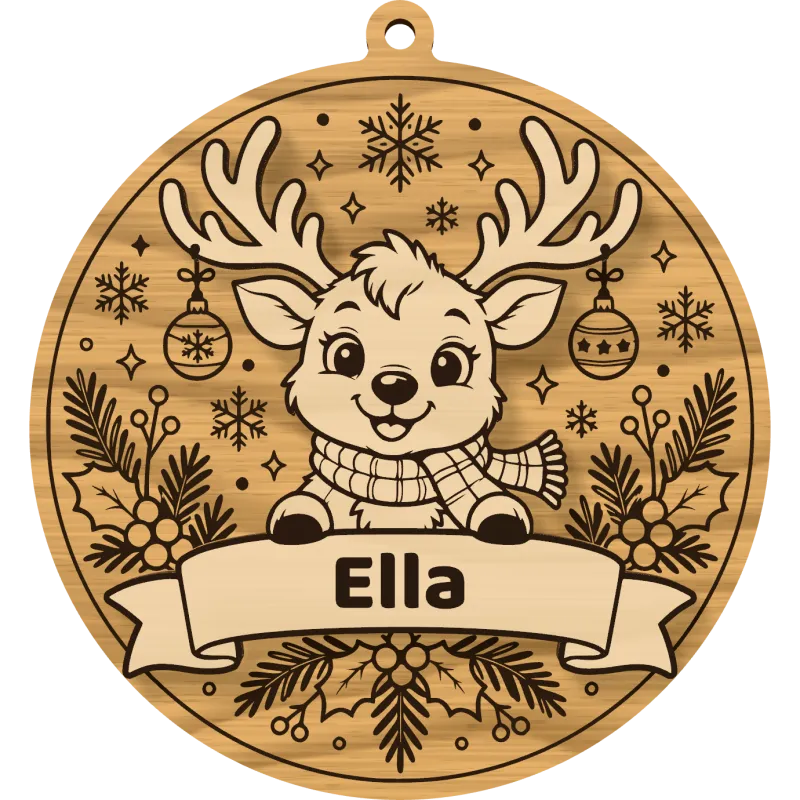
Peeking Reindeer Ornament
A baby reindeer in a scarf peeking over a banner with a name.

Lighthouse Couple Sign
A lighthouse whose beam shines a heart across the sea.

Dolphin Couple Sign
Two leaping dolphins drawing a heart over the sunset.

Panda Couple Sign
Two pandas cuddling under bamboo with their hearts.

Koala Couple Sign
Two koalas hugging the same eucalyptus tree.

Earmuff Penguin Ornament
A baby penguin in earmuffs holding a gift above a name banner.

Butterfly Couple Sign
Two butterflies whose wings meet in a heart.

Gingerbread House Ornament
A candy-trimmed gingerbread house and a gingerbread man above a name banner.

Moon Teddy Bear Ornament
A teddy bear in a beanie sitting in a crescent moon above a name banner.

Sunflower Couple Sign
Two sunflowers whose stems grow into a heart.

Motorcycle Couple Sign
A biker couple riding off with a trail of hearts.

Palm Tree Couple Sign
Two palms leaning into a heart around a sunset.

Skeleton Coffin Name Sign
A coffin with a waving skeleton and the name across its lid.

Peeking Mummy Name Sign
A mummy peeking over a jack-o’-lantern, the name on the plank below.

Haunted Ghost Portrait Ornament
A little ghost in an ornate gilded frame, the name on its plaque.

Ghost Family Name Sign
A little ghost for every name, the family name on the mist below.

Cute Bat Name Ornament
A chubby little bat with a pumpkin, the name on its belly.

Gingerbread Boy Name Ornament
A gingerbread boy in a Santa hat with the name on his banner.

Gingerbread Girl Name Ornament
A gingerbread girl with a hair bow, her name on the banner.

Christmas Gnome Name Ornament
A bearded gnome in a red hat holding a sign with the name.

Santa Claus Name Ornament
Santa holding his nice list with the name on it.

Christmas Wreath Family Ornament
A leafy wreath with a bow, the family name and the year inside.

Ugly Sweater Name Ornament
A knitted Christmas sweater with the name across its chest.

Christmas Train Name Ornament
A toy steam train with a wreath and snow, the name on its boiler.

Thanksgiving Turkey Name Sign
A round fall sign with a happy turkey and pumpkins over the name.

Maple Leaf Place Card
A maple leaf with a guest’s name for the Thanksgiving table.
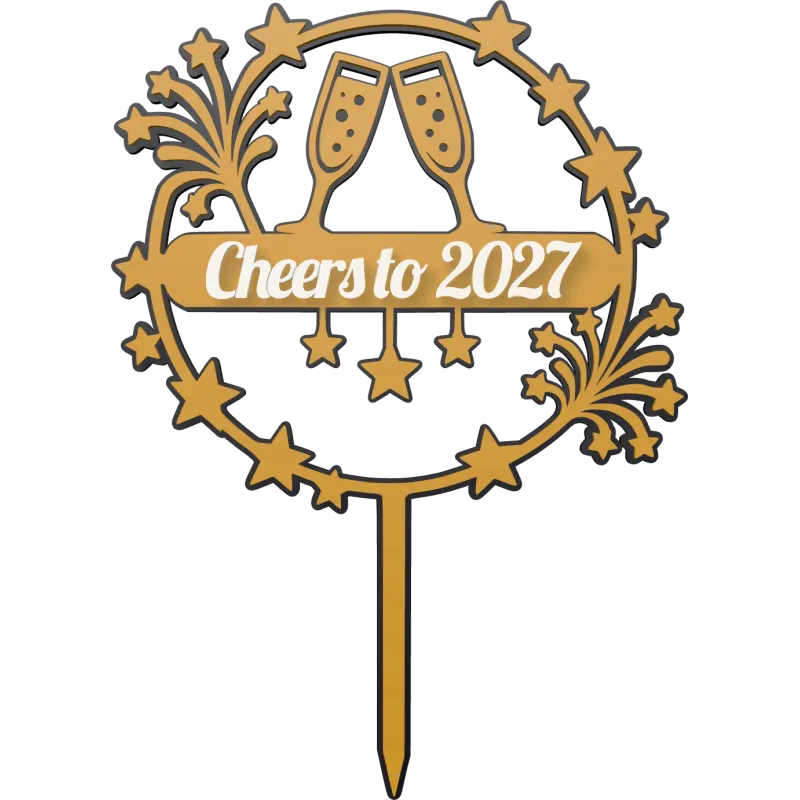
Happy New Year Cake Topper
Clinking champagne glasses and stars, your words on the band.

Easter Bunny Name Sign
A round Easter sign with a peeking bunny, eggs and tulips.

Easter Basket Name Tag
An Easter egg with bunny ears and flowers, the name across it.

Easter Egg Split Name Sign
A painted Easter egg split by the name, tulips at its sides.

Grandma’s Garden Sign
A flower pot for every grandchild, each with a name, on a plank that says it all.

Papa Bear Family Sign
Papa Bear in his beanie, with a different little cub for every child.

Grill Master Name Sign
A fist raising a barbecue spatula, the title on its bar, the name and the year.

Fishing Name Sign
A round angler’s sign with a leaping bass, a rod and cattails.

Baby Koala Name Sign
A sleepy baby koala hugging a eucalyptus branch, the name above.

Baby Elephant Name Sign
A little elephant with a flower in its trunk, the baby’s name above.

Baby Fox Name Sign
A baby fox curled up in its tail, ferns, toadstools and the name above.

Baby Hedgehog Name Sign
A tiny hedgehog asleep among apples, leaves and a toadstool.

Tractor Name Sign
A round farm sign with a tractor, a barn and a windmill over the name.

Fire Truck Name Sign
A round firefighter sign with a fire engine, its ladder and the name.

Ballerina Split Name Sign
A dancing ballerina split across her long tutu by the name.

Mermaid Split Name Sign
A mermaid with flowing hair, her tail below the name.

Boho Rainbow Name Sign
A soft boho rainbow with a heart and clouds over the name.

Unicorn Name Lamp
A glowing baby unicorn night light with a name below.

Rocket Name Lamp
A rocket blasting off in glowing lines, the name below.

Excavator Name Sign
A round construction sign with a digging excavator over the name.

Baseball Split Name Sign
A stitched baseball with crossed bats, split by the name.

Soccer Ball Split Name Sign
A soccer ball cut in two by a name, stars on both sides.

Basketball Split Name Sign
A basketball split by a name, with speed lines at its sides.

Guitar Name Sign
Two crossed guitars and music notes over the name.

Horse Stall Name Sign
A horse’s head in a horseshoe, its name on a plank.

Housewarming Family Name Sign
A cozy house with a heart-puffing chimney over the family’s name.

Camping Family Name Sign
A tent and a campfire under the stars over the family name.

Wedding Welcome Wreath Sign
A rose and eucalyptus wreath round the couple’s names and date.

Heart Wedding Place Card
A wooden heart with a laurel sprig and the guest’s name.

Baby Shower Cake Topper
A teddy bear on a cloud-ringed band with your words.

Feather Memorial Ornament
A white feather with a loved one’s name across it.

Heart Angel Wings Memorial Ornament
A heart with angel wings and a loved one’s name.

Gamer Room Name Sign
A controller and a headset over the gamer’s name.

Coffee Bar Sign
A steaming cup, a French press and a moka pot over your words.

Snowman Family Sign
A snowman for everyone in the family, each with a name.

Pinky Promise Best Friends Sign
Two hands in a pinky promise under a heart, with both names.

Football Split Name Sign
A football split by a name, its laces up and speed lines behind it.

Volleyball Split Name Sign
A volleyball split by a name, its panels curving round it.

Hockey Split Name Sign
A puck and two crossed hockey sticks split by a name.

Golf Split Name Sign
A dimpled golf ball and two crossed clubs split by a name.

Tennis Split Name Sign
Two crossed rackets and a tennis ball split by a name.

Wine Bar Sign
A bottle, two full glasses and grapevines round your words.

Dad’s Workshop Sign
Tools on the wall, a workbench with a vise and Dad’s name.

Motorcycle Name Sign
A cruiser in the mountains and an open road under the name.

Herb Garden Sign
Basil, rosemary and mint on a sunny windowsill over your words.

Squirrel Acorn Name Sign
A squirrel with its acorn under oak branches, your name below.

Hatching Chick Name Sign
A chick peeks out of its Easter egg among tulips, the name below.

Black Cat Pumpkin Name Sign
A black cat on a jack-o’-lantern under a crescent moon, your name below.

Horse Memorial Sign
A horse’s head in a horseshoe with angel wings, its name below.

Mom Heart Sign
MOM with a heart for the O and a tulip growing out of it, names across it.

Cat Angel Memorial Ornament
A cat with angel wings and a halo, its name on its chest.

Dove Memorial Ornament
A dove with an olive branch carrying a loved one’s name.

Llama Best Friends Sign
Two llamas cheek to cheek over a heart, both friends’ names below.

Bee Best Friends Sign
Two bumblebees on daisies with their antennae in a heart, both names below.

Raccoon Best Friends Sign
Two raccoons hugging under a leafy arch, both friends’ names below.

Bunny Family Easter Sign
A bunny family in the spring grass with your family name below.

Bird Nest Mom Sign
A mother bird and her chicks in their nest, the children’s names below.

Baseball Photo Frame
A round photo framed by a baseball and a batter, with your words.

Football Name Ornament
An American football with white laces and stripes and a player’s name.

Teacher Apple Name Ornament
A red apple with a leaf, a pencil and a teacher’s name.

Engagement Ring Couple Ornament
A diamond ring with two names and the day they got engaged.

Hourglass New Year Sign
An hourglass counting down to the new year, the year standing on its sand.
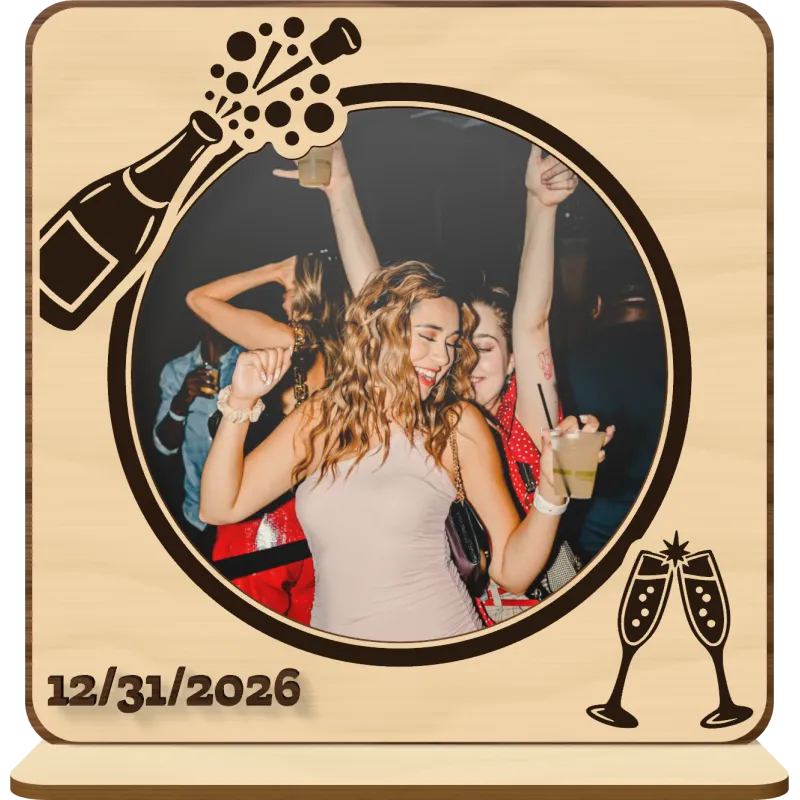
Champagne Bubbles Photo Frame
A round party photo framed by a popping bottle and two clinking flutes.

Memorial Candle Name Lamp
A glowing memorial candle with a loved one’s name beneath its flame.

Dandelion Memorial Lamp
A glowing dandelion whose seeds drift away, a name lit up beneath.

Stairway to Heaven Memorial Sign
A stairway into the clouds with angel wings, a loved one’s name below.

Hydrangea Memorial Photo Frame
A round photo framed by hydrangea blossoms, with a name and the years.

Three Crosses Name Lamp
Three crosses on a hill at sunrise, lilies below, words lit beneath.

Daffodil Name Ornament
A bunch of golden daffodils tied with a ribbon that carries a name.

Soccer Player Name Lamp
A soccer player striking the ball, glowing above a young player’s name.

Basketball Player Name Lamp
A basketball player soaring for a slam dunk over a glowing name.

Hockey Player Name Lamp
An ice hockey player driving the puck up the ice, a name glowing below.

World Globe Name Ornament
A world globe on its stand with a name on a ribbon across it.

Sugar Skull Name Lamp
A flower-crowned sugar skull glowing above a name or a short line.

Raven Name Sign
A raven on a gnarled branch before a full moon, a name on the band.

Tombstone Name Sign
A cracked tombstone with a bat and a jack-o’-lantern, a name on the stone.

Frankenstein Name Ornament
A friendly Frankenstein with neck bolts and a grin, a name on his brow.

Master Welder Name Sign
A fist with a welding torch throwing sparks, a title, the name and the year.

Kangaroo Mom Sign
A mother kangaroo with her joey in her pouch, a name and a line below.

Parrot Name Sign
A parrot on a branch among hibiscus and palm leaves, your bird’s name on the band.

Moon and Clouds Name Lamp
A sleepy crescent moon on curly clouds, glowing over a baby’s name.

Wildflower Name Lamp
Daisies, a poppy and lavender with a bee, glowing above a name.

Dragon Name Lamp
A smiling baby dragon with spread wings, glowing above a name.

Fairy Name Lamp
A little fairy on a toadstool with her star wand, glowing above a name.

Airplane Name Lamp
A vintage biplane landing on a curly cloud, glowing above a name.

Princess Castle Name Lamp
A fairy-tale castle with flags on its towers, glowing above a princess’s name.

Pirate Ship Name Lamp
A pirate ship under full sail on curling waves, glowing above a name.

Stork Baby Shower Cake Topper
A stork delivering a bundle in a ring of clouds and stars, a baby line on the band.

Rainbow Bridge Dog Memorial Ornament
A dog asleep on a rainbow over the clouds, its name below.

Dinosaur Bag Tag
A baby T-rex peeking over a plaque with the name.

Christmas in Heaven Memorial Ornament
An empty rocking chair by Christmas, a cardinal and a name.

Fall Gnome Name Ornament
An autumn gnome hugging a pumpkin, the name at his feet.

Champagne Bottle New Year Ornament
A popping champagne bottle with a bow and a name banner.

Guardian Angel Keychain
A little cherub with a halo, holding a heart over the name.

Shih Tzu Name Ornament
A shih tzu puppy peeking out of a stocking with its name.

Christmas Elf Name Ornament
A cheerful elf holding up a sign with a name.

Unicorn Bag Tag
A baby unicorn with a flower in its mane, over a name plaque.

Lion Bag Tag
A baby lion with a fluffy mane, its paws over a name plaque.

Sloth Name Keychain
A sleepy, smiling sloth hanging on to a plaque with a name.

Shark Bag Tag
A grinning shark resting on a name plaque.

Mermaid Bag Tag
A little mermaid with wavy hair and a starfish, over a name.

Teddy Bear Bag Tag
A cuddly teddy with a red bow tie, its paws over a name.

Bunny Bag Tag
A sweet bunny with a bow and rosy cheeks, over a name.

Soccer Ball Bag Tag
A soccer ball flying in over a plaque with the player's name.

Ballet Slippers Bag Tag
Pointe shoes with crossed ribbons and a bow, over a name.

Panda Name Keychain
A cuddly panda with bamboo stalks, over a name plaque.

Cat Name Keychain
A smiling tabby cat with a striped tail, over a name.

Sunflower Name Keychain
A sunflower in full bloom rising from a plaque with a name.

Snowman Name Ornament
A cheerful snowman in a top hat holding a sign with a name.

Soccer Cleats Name Ornament
A pair of cleats hung from a bow over a soccer ball and a name.

Llama Name Ornament
A fluffy llama in a Santa hat and a scarf, standing on a name.

Game Controller Name Ornament
A video game controller in a Santa hat over a gamer's name.

Dachshund Name Ornament
A sleepy dachshund in a Santa hat over its name.

Beagle Name Ornament
A beagle puppy in a holly-trimmed stocking with its name.

Cat Name Ornament
A tabby cat in a Santa hat sitting on its name.

Party Penguin New Year Ornament
A cheerful penguin in a party hat, blowing a striped horn over a name banner.

Top Hat New Year Ornament
A black top hat wrapped in gold ribbons, with a name on its wide band.

Lucky Horseshoe Name Charm
A lucky horseshoe with a four-leaf clover, a ladybug, a name and a date.

Happy New Year Sign
A round New Year sign with big brush lettering, the year and a name along the ribbon.

Lucky Pig Place Card
A smiling lucky pig with a four-leaf clover, standing on a plaque with a guest’s name.

Ghost Pumpkin Door Hanger
A waving ghost between two grinning pumpkins, with your family name along the ribbon.

Lucky Chimney Sweep Name Charm
A cheerful chimney sweep with a brush and a four-leaf clover, a name and a date on the ribbon.

Lucky Mushroom Name Charm
A laughing toadstool in a party hat with a clover and fireworks, a name and a date on the ribbon.

Acorn House Squirrel Sign
A squirrel at home in a fat acorn, with oak leaves, mushrooms and a name below its window.

Acorn Place Card
A big acorn with oak leaves and a tag that holds each guest's name.

Angel Memorial Bookmark
A slim bookmark with a little angel, a loved one's name and years.

Australian Shepherd Name Sign
A grinning Aussie with a merle coat and a folded ear stands beside its name.

Ballerina Bunny Name Ornament
A bunny dancing on one toe in a wide pink tutu, a name on the ribbon across its skirt.

Balloon Wolf Name Sign
A little wolf cub rides in a balloon basket under a cloud with the name.

Beagle Name Sign
A sweet beagle with a long velvety ear looks out from beside its name.

Bench Moon Couple Name Sign
A round couple sign: two on a bench under the moon, their names below.

Bernese Mountain Dog Name Sign
A friendly Bernese Mountain Dog with its eyebrow marks and fluffy chest peeks out beside its name.

Border Collie Name Sign
A clever border collie with a tipped ear keeps an eye on its name.

Boxer Name Sign
A square-jawed boxer with a soft folded ear watches over its name.

British Shorthair Name Sign
A round-faced British Shorthair with big round eyes peeks out beside its name.

Bunny Ears Plant Stake
Two tall bunny ears on a stick for the flower pot, a short greeting on the ribbon.

Bunny Egg Ring Ornament
An open egg-shaped ring with a bunny and two tulips inside, a name on the band they sit on.

Bunny Painter Easter Sign
A bunny in a beret paints a giant Easter egg, with a child’s name on its wide band.

Cardinal Tree Memorial Sign
Two trunks entwined into a heart with angel wings, a red cardinal and a name on the plinth.

Cheers New Year Sign
Two clinking champagne flutes over CHEERS, with the new year across them.

Chicken Name Magnet
A plump white hen with a red comb sits on a plank that shows a name.

Chihuahua Name Sign
Half a Chihuahua’s face with its big pointed ear, the name stacked down the bar beside it.

Chimney Sweep Praline Holder
A little chimney sweep holding a chocolate praline, with a guest's name.

Cocker Spaniel Name Sign
A sweet Cocker Spaniel with one long, wavy ear peeks out beside its name.

Cow Name Magnet
A smiling spotted cow with a gold bell holds up a plank with a name, ready for the fridge.

Dachshund Name Sign
A wiener dog peeking out from behind a bar that carries its name in tall capitals.

Dalmatian Name Sign
A spotted dalmatian with a soft ear peeks out from beside its name.

Dandelion Memorial Ornament
A dandelion letting its seeds go on a round ornament, with a saying, a name and the years.

Deer Cabin Sign
A buck with a full rack over the pines, and your cabin's name on the board.

Doberman Name Sign
A proud Doberman with one tall, upright ear stands watch beside its name.

Eagle Name Sign
A bald eagle landing above the name, with mountains and pines behind it.

Elephant Name Magnet
A little gray elephant raises its trunk over a plank with a name.

Fall Deer Name Sign
A spotted fawn rests among bright fall leaves beside a little pumpkin.

Four-Leaf Clover Praline Holder
A four-leaf clover with a chocolate praline at its heart and a guest's name.

Fox Name Magnet
A laughing orange fox waves its bushy tail beside a plank with a name.

French Bulldog Name Sign
A Frenchie with a big bat ear and a wrinkled brow peeks out beside its name.

Gas Can Money Holder
Gas money for a new driver, rolled up behind a red jerry can.

German Shepherd Name Sign
An alert German shepherd with its tall ear up, its name standing tall down the bar.

Ghost Name Magnet
A friendly little ghost hugs a jack-o-lantern above a plank with a name.

Gift Box Name Ornament
A wrapped present with a big bow, cut-out stars and a name across the middle.

Gingerbread Man Money Holder
A grinning gingerbread man serves up cash instead of cookies.

Gnome Money Holder
A Christmas gnome with a holly hat keeps a rolled bill safe for the holidays.

Golden Retriever Name Sign
Half a smiling golden retriever with wavy fur, the dog’s name stacked down the bar beside it.

Halloween Name Sign
A haunted house, bats and grinning pumpkins over the name on a rectangular sign.

Halloween Witch Name Sign
A witch flies past the full moon above the name, with a black cat and a cauldron.

Hanging Hearts Christmas Ornament
A heart for every name swings inside this round ornament, your own words below them.

Haunted House Address Sign
A haunted house over your house number and street, for a spooky front porch.

Highland Cow Money Holder
A grumpy highland cow in a Santa hat guards a wrapped bill for Christmas.

Horseshoe Praline Holder
A golden horseshoe holding a chocolate praline, with four-leaf clovers and a name.

Hummingbird Memorial Garden Stake
A hummingbird at a flower on a garden stake, with a loved one's name and years.

Jack Russell Terrier Name Sign
A cheeky Jack Russell with a button ear and an eye patch grins beside its name.

Kids Art Fridge Magnet
A paint palette with crayons and a brush marks the young artist's gallery on the fridge.

Kitten Name Magnet
A gray kitten with a bell on its collar peeks over a plank with its name.

Labrador Name Sign
A tall dog sign: your dog’s name down a bar that splits a Labrador’s face in half.

Long-Haired Chihuahua Name Sign
A fluffy long-haired Chi peeks out beside a bar with its name in tall capitals.

Lucky Pig Praline Holder
A lucky pig that holds a chocolate praline in its belly, with a guest's name.

Maine Coon Name Sign
A majestic Maine Coon with tufted ears and a lion-like ruff peeks out beside its name.

Maltese Name Sign
A sweet little Maltese with a long, silky white coat peeks out beside its name.

Memorial Angel Name Ornament
A little angel holds a big heart with a name, its wide wings spread under a golden halo.

Memorial Heart Favor
A small wooden heart engraved with a name and the years, to hand out at a service.

Memorial Poem Plaque
A tall wooden plaque with a winged heart, a name, the years and a poem of your own.

Nativity Family Name Sign
A round Christmas sign: the holy family at the manger under the star, the family name below.

Nutcracker Money Holder
A toy soldier nutcracker stands guard over a rolled-up bill.

Pet Memorial Plaque
A heart with a paw print and two angel wings for a pet who is missed.

Pet Memorial Wind Chime
A rainbow, a cloud and a paw on top of a wind chime, with the pet's name.

Pig Name Magnet
A round pink piglet with a curly tail peeks over a plank that carries a name.

Pine Snowflake Name Ornament
A round Christmas ball with pine boughs, snowflakes and a big name in the middle.

Pocket Jesus Token
A small smiling Jesus with open arms to carry in a pocket, a short word on his robe.

Poodle Name Sign
A curly poodle with a fluffy topknot peeks out beside its name in tall capitals.

Pug Name Sign
A wrinkly little Pug with big round eyes peeks out beside its name.

Pumpkin Patch Name Sign
A round Halloween sign: a scarecrow, a full moon and grinning pumpkins over the name.

Puppy Name Magnet
A happy puppy with floppy ears and a bone tag holds up its own name.

Reindeer Money Holder
A happy reindeer in a red scarf holds on to a rolled bill.

Reindeer Snowflake Name Ornament
A round Christmas ball with a leaping reindeer, a snowflake and a name across the middle.

Rottweiler Name Sign
A loyal rottweiler with a folded ear keeps watch beside its name.

Russian Blue Name Sign
A sleek Russian Blue with a tall ear and a knowing almond eye peeks out beside its name.

Safari Giraffe Family Name Sign
A mother giraffe and her baby on a round safari sign with a name.

Saint Bernard Name Sign
A gentle giant of a Saint Bernard with a droopy eye and soft flews peeks out beside its name.
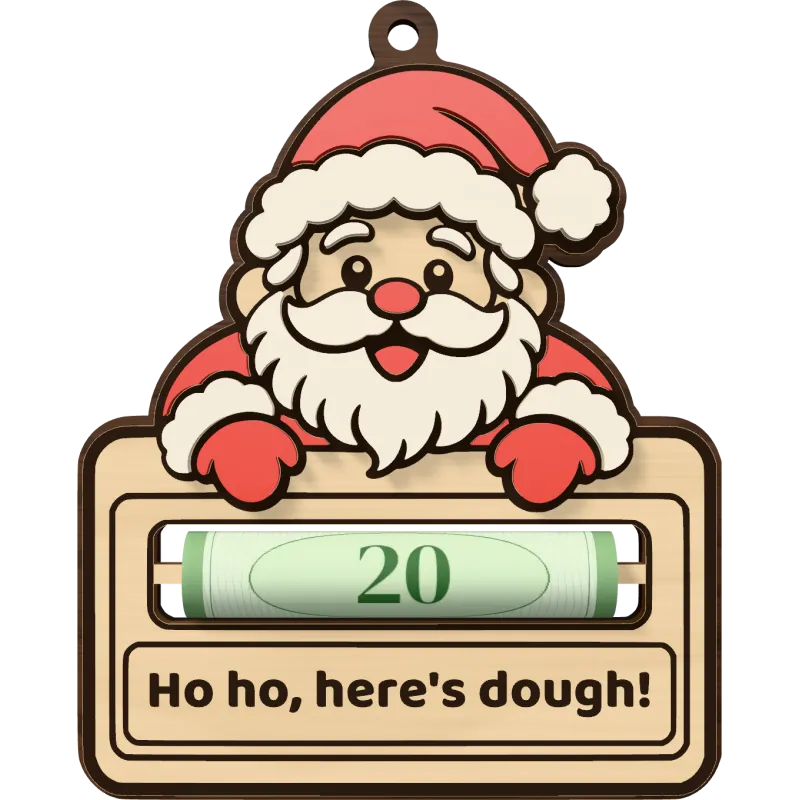
Santa Money Holder
Jolly Santa peeks over the top to hand over a rolled-up bill.

Santa Sleigh Name Ornament
Santa and his reindeer fly over a snowy village under the name on this round bauble.

Siberian Husky Name Sign
A Siberian husky with its tall pointed ear and masked face stands guard by its name.

Sisters Heart Ornament
Two hearts joined as one, with a flower on top and both sisters' names.

Snowflake Bow Name Ornament
A round ornament with a big bow on top and a name across its snowy middle.

Snowflake Tree Name Ornament
A fir tree outline and bold snowflakes frame the name across this round bauble.

Spring Bird Easter Ornament
A round bluebird brings a blossom on a twig, with a name on its cream belly.

Swinging Bunny Name Ornament
A smiling bunny on a swing inside a scalloped arch, the name on the wide board in front of it.

Three Wise Men Family Name Sign
Three kings ride their camels toward the star above your family name on this round sign.

Tiger Name Sign
A round jungle sign with a tiger and a name on its band.

Tree Cross Easter Sign
A broad cross with a tree of life growing up it, and a short text on the ribbon across the trunk.

Witch Broom Name Sign
A long witch’s broom with a big name standing on its handle.

Yorkshire Terrier Name Sign
A Yorkie with a bow in its top-knot and a long silky coat peeks out beside its name.
Questions
Which laser software opens the files?
Any laser software that opens SVG files, for example LightBurn, xTool Creative Space, the Glowforge app or Inkscape. Cut, score and gluing guide lines each have their own color, so you set up one operation for each.
What do the line colors mean?
Red lines are cut through. Blue lines are scored or engraved: the outlines that keep a name readable on a one-piece design, or an engraved name. Green is an optional gluing guide that shows where a piece goes; it is off by default. The PNG download holds the blue lines alone, as an image for raster engraving.
Can I scale the files?
Yes. Every file opens at the size you designed, and you can scale it in your laser software. Thin parts are at least 0.047 in wide at that size, so check thin script names before you cut a design much smaller.
Can I make files for many names at once?
Yes. Switch the Name section to “Batch” and paste a list with one name per line, up to 100. You get a ZIP with one file per name, or one sheet with every name.