

Key takeaways
- Start small: one machine, one occasion, five to ten products, then grow from your sales.
- Choose the laser by material: diode for wood and opaque acrylic, CO2 for clear acrylic and thicker sheets, fiber for metal.
- Ventilation, fire safety and never leaving a running laser alone are not optional.
- Price by machine minutes, material, labor and fees - personalization is what buyers pay for.
- Files with a commercial license and batch personalization save the most time.
Is a laser engraving business a good idea?
It can be: the equipment fits in a spare room, materials are cheap, and personalized products sell at prices well above their material cost. The work is a mix of making, photographing, listing, answering buyers and shipping - the laser is only one part of it. Demand is real but seasonal for many products, so a business plans its year around occasions.
- In favor: low material costs, made to order (little stock), a product every buyer can personalize, work from home.
- Against: competition on marketplaces, busy seasons, fumes and safety to manage, time for photos and customer service.
How do you start a laser engraving business, step by step?
Pick a niche and an occasion
Baby gifts, weddings, pets or Christmas: one group of buyers you can reach and understand. The ideas guide lists 45 products by occasion.
Choose your machine
By the materials your products need, the size of your sheets and your budget - see the table below.
Set up a safe workspace
Exhaust to the outside or an air filter, a fire extinguisher, a non-flammable surface, and room to store sheets flat.
Register the business
Business registration, sales tax and insurance depend on where you live: check with your local authority before you sell.
Make your first five to ten products
Cut samples, test materials and finishes, and photograph them with real names.
Price them
Machine minutes, material, labor, fees and packaging, times your margin.
Open a shop
Etsy, Amazon Handmade, your own site, markets - see the marketplace guide.
Plan the year
Prepare each season two months ahead and add products from what sells.
Which laser machine do you need for a business?
| Type | Good at | Not for |
|---|---|---|
| Diode laser | Cutting thin wood and opaque acrylic, engraving wood, leather, slate and coated metal; affordable | Clear acrylic (the light passes through), thick sheets |
| CO2 laser | Cutting wood, all acrylic and thicker sheets faster; engraving glass | Bare metal |
| Fiber laser | Marking and engraving metal: tags, tumblers, jewelry | Cutting wood and acrylic sheets |
For flat products such as signs, ornaments and keychains, the bed size matters as much as the power: it sets the largest piece you can cut in one go, and how many small pieces fit on one sheet. Pieces over about 60 cm (24 in) need a large-format machine.
What does it cost to start a laser engraving business?
The machine is the largest cost; the rest is modest. Plan for these items - the amounts depend on the machine class and on your country:
| Item | Notes |
|---|---|
| Laser machine | Diode machines cost the least, CO2 and fiber more; add enclosure and air assist if not included |
| Ventilation | An exhaust to the outside or an air filter |
| Software | Often free with the machine; LightBurn costs $99 (Core) or $199 (Pro) at the time of writing |
| Files and licenses | Designs with a commercial license, or a subscription such as laserkitchen Unlimited |
| Materials and finishes | Plywood and acrylic sheets, glue, paint, sanding |
| Packaging and shipping | Boxes, cardboard, tissue, labels |
| Safety | Fire extinguisher, glasses for open machines |
| Registration, fees, insurance | As your location requires |
Do laser engravers use a lot of electricity? Usually less than people expect: a hobby diode machine draws a modest amount, a CO2 machine more with its exhaust and cooling. The rated power on your machine’s label tells you its maximum; multiply it by your hours of cutting for an upper limit.
What should a new laser business sell first?
Products that are quick to cut, easy to ship and personal: a name sign, an ornament, a cake topper, a keychain. One occasion first, so your shop looks focused and your photos and listings share one style. Start from the name signs, ornaments, cake toppers or keychains.

Cake Topper
Your own words on a cake topper with two spikes.

Offset Name Sign
Your name on a soft offset border.
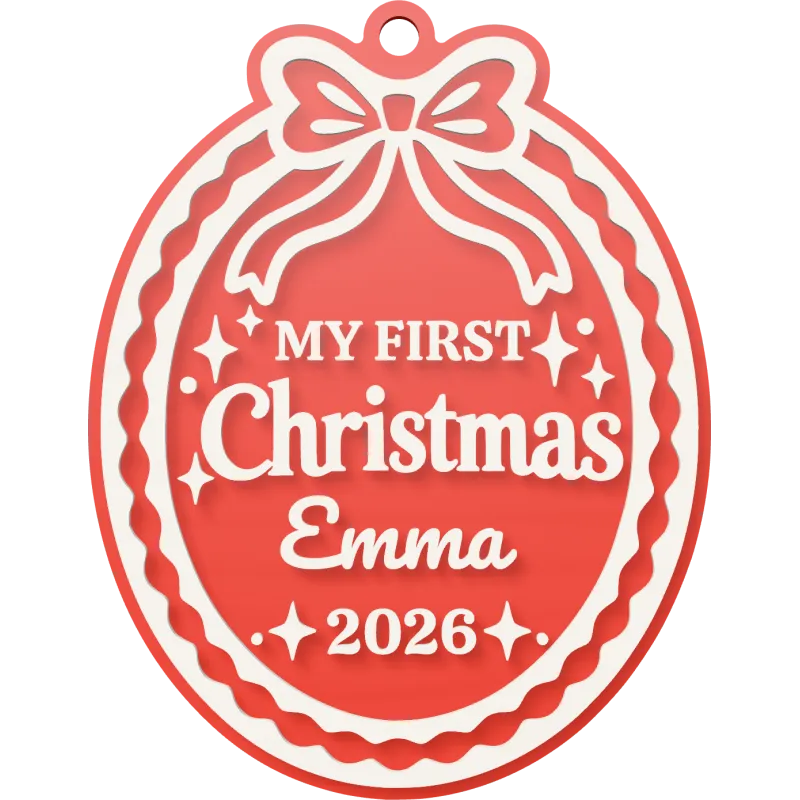
My First Christmas Name Ornament
An oval bow ornament for a baby’s first Christmas.

Broken Heart Keychains
A heart split into two keychains, one name on each.

Name Puzzle
A jigsaw puzzle with a name on every piece.

Couple Initials
Two initials joined by a symbol, with both names.
More ideas and their seasons in the ideas guide; the ornament season in the Christmas ornament guide.
How much should you charge for laser engraving?
Set an hourly rate for your machine and your own time, then price each product by the minutes it takes. For custom engraving jobs - engraving a customer’s own item - many shops charge a minimum per order plus the machine time, because set-up takes as long as a short job.
- Machine rate: what the machine, its wear and its power cost per hour, plus a share of rent and software.
- Labor: preparing, sanding, gluing, packing and messages, at a wage you would accept.
- Material and fees: sheets, glue, packaging, marketplace and payment fees.
- Margin: two to three times the cost is common for handmade, personalized products.
A worked example is in the ideas guide’s pricing section.
How do you keep a laser business efficient?
- Batch orders: collect the day’s names and cut them from one sheet - up to 100 names per batch with laserkitchen files.
- Templates: save each product’s settings so every order looks the same.
- Proofs: send the buyer the name as it will be cut before you cut it.
- Material settings: keep a list of what works on each material and machine.
- Photos once, listings many: one photo session per product line, reused across shops.
Can you use ready-made files in a laser business?
Yes, when their license allows selling the products. Ready-made, personalizable files save the design work and let you offer more products from day one. With laserkitchen Unlimited, every file you download while subscribed comes with a commercial license for the products you make - in any number, wherever you sell - and products from those files stay covered after you cancel. The files themselves may not be shared or resold. More in the license guide.
Questions
Are laser engravers profitable?
They can be, when you sell personalized products and price them by machine time, labor, material and fees rather than by the size of the blank.
How do I start a laser engraving business at home?
Choose a machine for your materials, set up ventilation and fire safety, register as your location requires, make five to ten products for one occasion and open a shop on a marketplace or your own site.
How much should I charge for laser engraving?
Add machine time, labor, material, fees and packaging, then multiply by two to three. For engraving customers’ own items, set a minimum per order.
Which laser is best for a small business?
The one that works your materials: a diode laser for wood and opaque acrylic, a CO2 laser for clear acrylic and thicker sheets, a fiber laser for metal. Bed size matters for large signs.
Do I need a license to sell laser engraved products?
You may need a business registration or sales tax permit where you live, and a commercial license for any design you did not create yourself.
Do laser engravers use a lot of electricity?
Usually not much: a hobby diode machine draws a modest amount, a CO2 machine more with exhaust and cooling. The rated power on the machine’s label times your hours of cutting gives an upper limit.
What is the laser engraving process?
You open a design in laser software, set power and speed for each operation, place the material, focus, and the laser cuts along vectors and engraves areas line by line.
What should you not laser engrave?
PVC, vinyl and faux leather made of PVC, and other plastics laser makers warn about, such as ABS and polycarbonate. The materials guide lists them.


