

Key takeaways
- Searches for personalized ornaments rise from September, peak in November and December and almost vanish in January: have your listings live by October.
- The best sellers carry a name or a date: baby’s first Christmas, family ornaments, pet ornaments and snowflakes with a name.
- 3 mm (1/8 in) birch plywood is the standard material; acrylic and two-tone layered builds sell at higher prices.
- Layered ornaments glue the name onto a back plate in a second color; one-piece ornaments cut it out of the same sheet.
- A list of names becomes one cutting sheet: a whole family, a class or a day of orders in one job.
- To sell ornaments made from laserkitchen files you need Unlimited, which includes a commercial license.
What is a personalized laser cut ornament?
It is a flat Christmas ornament cut by a laser from a thin sheet of wood or acrylic, with something personal in it: a name, an initial, a year or a short line such as “Baby’s first Christmas”. The laser cuts the outline and the openings in one pass and scores or engraves the details, so every ornament can carry a different name without extra work.
There are two ways to build one. A layered ornament glues a separately cut name or motif onto a back plate, often in a second color of wood or acrylic. A one-piece ornament cuts the name out of the same sheet as the frame, every letter joined to the frame so nothing falls out, or engraves it onto the surface.
 Layered
 One piece
Because the design is a file, the name is only a setting: change it, check the result and cut again. That is why ornaments are among the easiest personalized products to sell in volume.
Which personalized ornaments sell best?
The ornaments that sell mark a moment or a member of the family. The search data shows it: in the US, “personalized Christmas ornament baby’s first” is searched about 33,000 times in December, “personalized family ornament” about 14,800 times in November and again in December, and “personalized memorial ornaments” about 1,900 times a month. These eight ideas cover the largest groups of buyers.
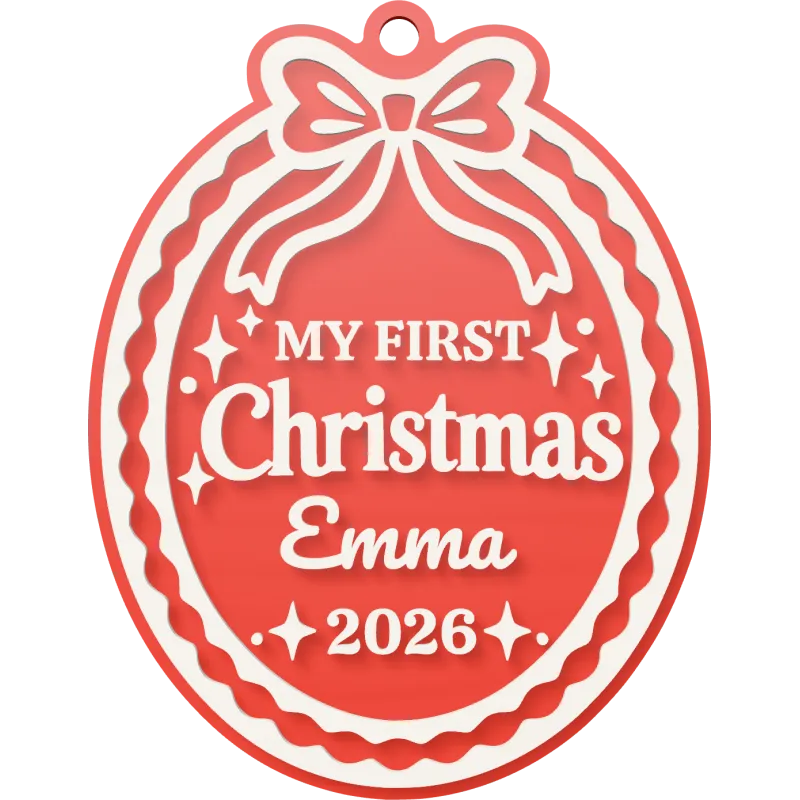
Baby’s first Christmas
The classic gift for new parents and grandparents: the baby’s name, often with the year. Every new baby is a new buyer, so the demand comes back each year.
Make it: My First Christmas Name OrnamentA baby animal with the name and the year
A softer take on the first-Christmas ornament for nurseries and baby showers: a smiling baby reindeer with a bow, the name and the year below it.
Make it: Baby Reindeer Name OrnamentPet ornaments
Dog owners buy one for every dog, and many order a memorial ornament for a dog that is no longer with them. A name on a bone, a tag or a band reads at a glance.
Make it: Bone Tag Dog OrnamentSnowflakes with a name
Five snowflake styles, each with a name across it: a low-cost ornament that sells in sets, for a class, a team or every child in the family.
Make it: Lace Snowflake OrnamentInitial ornaments
A big initial with the full name below it reads from across the room and suits children and adults alike.
Make it: Reindeer Initial OrnamentCouples and hearts
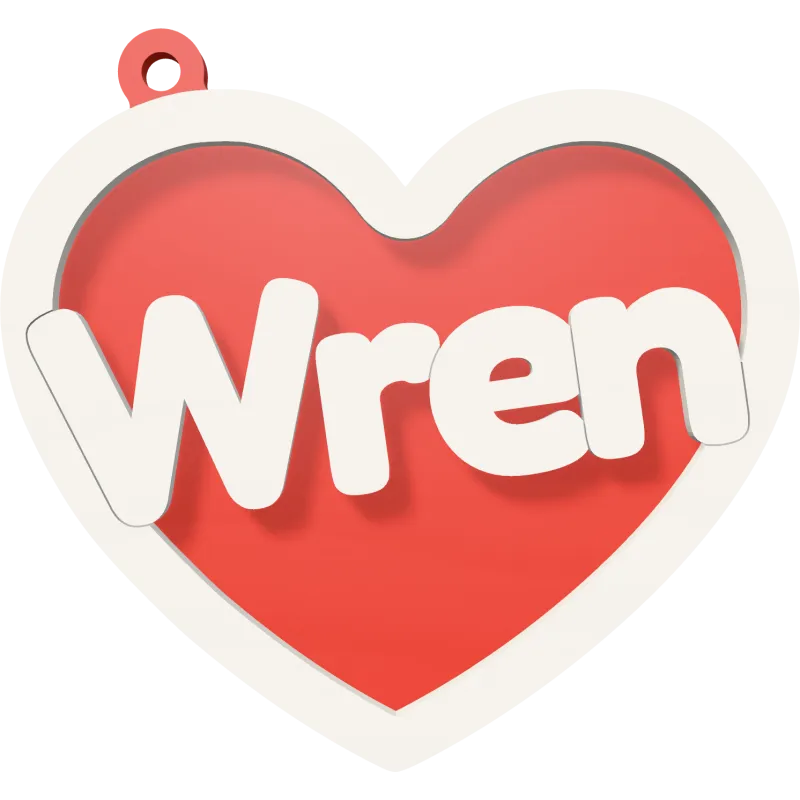
A heart with a name is the first-Christmas-together ornament, and the same file sells again for Valentine’s Day.
Make it: Heart Name OrnamentFamily ornaments
One ornament with the family name, or one for each member from a list. Families order several at once, which raises the order value.
Make it: Reindeer Name OrnamentPhoto ornaments
Room for a printed photo turns an ornament into a keepsake. Pet owners and grandparents are the main buyers.
Make it: Snow Globe Dog Ornament




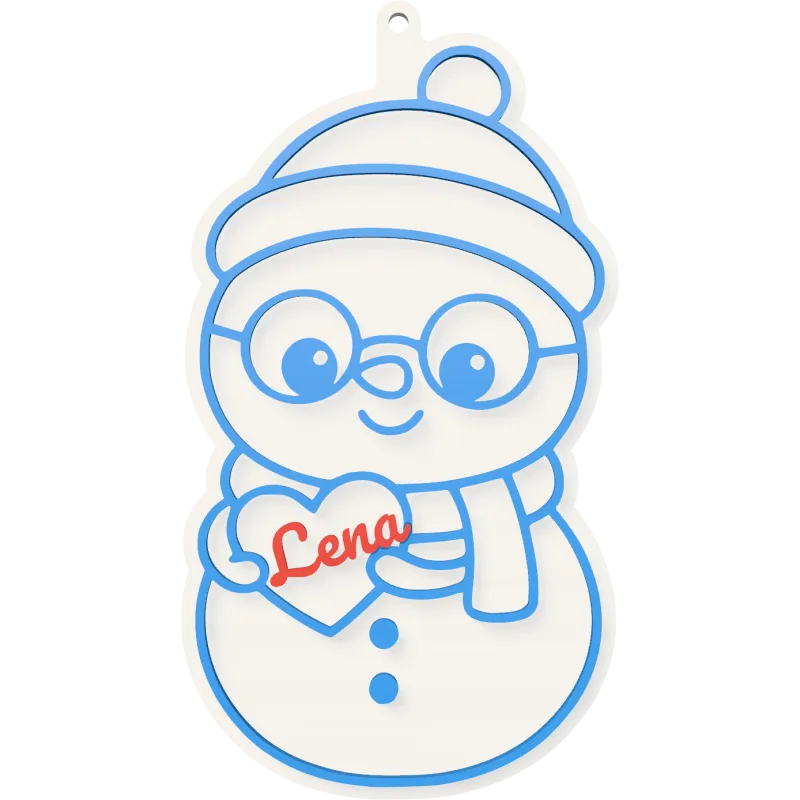
Christmas pieces with a name also work beyond the tree: a snowman or candy cane sign decorates a door or a mantel, and many baby ornaments hang in the nursery all year. Browse every design for Christmas, all ornaments, and the baby and pet pieces.


When should you start selling Christmas ornaments?
Start in September and have every listing live by October. In the US, searches for “personalized Christmas ornament” climb from about 1,300 a month in April to 12,100 in September and 49,500 in October, peak at about 135,000 in November, stay near 110,000 in December and fall to 5,400 in January.
| Month | Searches (US) | What to do |
|---|---|---|
| July and August | 6,600 | Pick your designs, order material, cut samples and take photos. |
| September | 12,100 | Publish your listings so they gather views and first reviews. |
| October | 49,500 | Take the first orders, test your prices, prepare the packaging. |
| November | 135,000 | Peak orders: cut in batches every day and keep shipping times visible. |
| December | 110,000 | Stop personalized orders at your last safe shipping date. |
| January | 5,400 | Note what sold and plan next year’s range. |
Baby’s-first ornaments peak later, in December, at about 33,000 searches, because many are bought for babies born in the autumn. The laser makers’ own searches follow the same curve: “laser cut ornament” rises from about 70 a month in June to 2,400 in December.
What size should a laser cut Christmas ornament be?
For a tree, 8 to 12 cm (3 to 5 in) across is a good size: the name reads from a step away and the ornament stays light on a branch. Each laserkitchen ornament starts at the size that suits its design and scales from a few centimeters up to 30 cm or more; the name and the details grow with it, while the hanging hole and the stand keep their size.
| Ornament | Starts at | Size range |
|---|---|---|
| Snowflake ornaments | 10 cm (3.9 in) across | 4 – 30 cm |
| Dog ornaments | 11 cm (4.3 in) wide | 4 – 33 cm |
| Heart Name Ornament | 10 cm (3.9 in) wide | 4 – 50 cm |
| Baby Reindeer Name Ornament | 14 cm (5.5 in) wide | 11 – 30 cm |
| Reindeer Initial Ornament | 14.5 cm (5.7 in) wide | 10 – 30 cm |
| My First Christmas Name Ornament | 17.9 cm (7 in) wide | 6 – 30 cm |
| Reindeer Name Ornament | 18.4 cm (7.2 in) wide | 6 – 60 cm |

Two limits matter more than the overall size. Every part of the cut stays at least 1.2 mm wide - thinner wood breaks - and laserkitchen holds that minimum at the size you choose. And a name cut out of a plate needs letters with an x-height of about 4 mm: below that, the file engraves the name instead and tells you so.
The hanging hole is 5 mm (about 3/16 in) by default, wide enough for a ribbon, a hook or a jump ring; you can set it from 3 to 10 mm.
What is the best material for laser cut ornaments?
3 mm (1/8 in) birch plywood is the standard: light, strong, clean to cut, easy to paint or stain, and sold in laser-ready sheets. laserkitchen files start at a material thickness of 3 mm and can be set from 2 to 6 mm, so slots and parts fit the sheet you actually use.

| Material | Good for | Keep in mind |
|---|---|---|
| Birch plywood, 3 mm (1/8 in) | Most ornaments, natural or painted | Buy laser-grade sheets with an even core: hidden gaps in the core leave parts uncut. |
| Basswood, 3 mm | A light color and crisp engraving | Softer than birch: thin parts break more easily. |
| MDF, 3 mm | Painted ornaments | Dark edges and more smoke; seal it where it may get damp. |
| Cast acrylic, 3 mm | Color, mirror and glitter ornaments | Engraves frosty white; leave the protective film on while cutting to keep the surface clean. |
| Layered mix | Two-tone ornaments at higher prices | A colored back plate with natural wood on top; the gluing guide marks where each piece goes. |
Layered or one piece: which is better for an ornament?
Choose layered when you want two colors or a raised name, one piece when you want the fastest cut from a single sheet.
| Layered | One piece | |
|---|---|---|
| Built from | The ornament on a back plate, the name or motif glued on as a piece of its own | One sheet: the name cut out and joined to the frame, or engraved |
| Sheets | Two or three, often in different colors | One |
| Cutting time | Longer: more parts | Shorter |
| Assembly | Glue the parts; the optional gluing guide marks their places | None |
| Looks | Depth and contrast, reads from afar | Clean and light, like a stencil |
| Best for | Premium pieces, baby and family keepsakes | Sets, school and team orders, low prices |
 Layered
 One piece

In a one-piece ornament, letters that do not touch the frame are joined to their neighbors where they meet, so the name comes out of the laser as one part. A bar is cut only where a letter would otherwise fall out, and dots and accents move down onto their own letter. On a layered ornament the name is glued on exactly as the font draws it. More on building in layers in the layered files guide.
How do you make a personalized ornament, step by step?
Pick a design
Open an ornament among the laser cut files: a snowflake, a reindeer, a dog ornament or a baby’s first Christmas.
Type the name
The name fits itself to the design as you type, accents and umlauts included, and the 3D view shows the result at once.
Choose the construction and the size
Layered or one piece, the width, the material thickness and how it hangs: a hole, a stand or neither.
Check it in 3D
Turn the piece, pull its layers apart and open the cutting plan to see every part before you cut.
Download the SVG
Red lines are cut, blue lines scored or engraved, green lines the optional gluing guide. The PNG download holds the engraving alone, as an image.
Set up your laser
Open the SVG in LightBurn, xTool Creative Space or the Glowforge app and give each color its own settings, as shown in the software guide.
Cut a test
Cut one ornament from a scrap of the same sheet and check the fit and the smallest letters.
Cut, glue and finish
Cut the batch, glue layered parts with wood glue, and add a ribbon, twine or a hook.
How do you hang a laser cut ornament?
With a hole in a small loop on top - every laserkitchen ornament has one by default. Placed in the center, the loop sits over the ornament’s balance point, so it hangs straight. You can move it to the left or the right, shift it with the fine position, and set the hole and the ring around it.
- Ribbon or twine through the hole: the gift-shop look. A wider ribbon needs a larger hole.
- Ornament hooks or jump rings: quick on the tree and cheap in bulk.
- A stand instead of a hole: many designs stand on a base plate with slots, as a desk or shelf decoration.
- No mount: for gift tags, or ornaments you hang with your own hardware.
How do you make ornaments for a whole family or a list of orders?
Switch the name to “Batch” and paste a list with one name per line, up to 100. You get a ZIP with one file per name, or one cutting sheet with all of them: the fastest way to cut a family set, a class or a day of orders.
Save your settings as a template - the size, the construction and the finish - and every order looks the same, whoever cuts it. The snowflakes are made for sets: five styles that share one size and one look.

Branching Snowflake Ornament
A snowflake of branching arms with a name across it.

Chunky Snowflake Ornament
A bold, chunky snowflake with a name across it.

Diamond Snowflake Ornament
A snowflake with diamond tips and a name across it.

Feathered Snowflake Ornament
A feathered snowflake with a name across it.

Lace Snowflake Ornament
A filigree snowflake with a name across it.

Snowflake Split Name Ornament
A round snowflake ornament split by a name.
How do you price personalized ornaments?
Price from your costs up, then check the market. Add the material, the laser time, the time for gluing and packing, the platform’s fees and your shipping supplies, then your profit. The name is the reason a buyer chooses you, so do not price a personalized ornament like a blank one.
| Cost | Example: one layered ornament |
|---|---|
| Material: two pieces of 3 mm plywood, glue | $0.60 |
| Laser time: 4 minutes at $0.50 a minute | $2.00 |
| Gluing, ribbon and packing: 6 minutes at $20 an hour | $2.00 |
| Platform and payment fees: about 10 % of a $16 sale | $1.60 |
| Your cost | $6.20 |
| Price at about 2.5 times the cost | $15.50 – $16 |
Layered, two-tone and acrylic ornaments carry higher prices than one-piece wood. Sets sell well too: three snowflakes, or one ornament for each member of the family, raise the order value without much more work per piece. More on pricing in how to start a laser engraving business.
Can you sell ornaments made from laserkitchen files?
Yes, with laserkitchen Unlimited. Every file you download while subscribed comes with a commercial license: you may sell the ornaments you cut - on Etsy, Amazon Handmade, at markets or in your own shop - in any number. The free downloads, 1 a day with a free account, are for personal use: your own tree and your gifts.
The license covers the physical ornaments, not the files: the SVGs may not be shared, resold or offered as digital downloads. Ornaments made from files you downloaded while subscribed stay covered after you cancel. The details are in the commercial license guide, the marketplaces in selling on Etsy and Amazon Handmade.
Questions
Can you laser engrave ornaments?
Yes. A laser engraves names, dates and details into wood and acrylic ornaments and cuts the outline in the same job. Engraved names suit small ornaments and fine fonts; names cut out of the sheet or glued on as a layer read better from a distance.
How do I make my own personalized ornaments?
Pick an ornament design, type the name, check it in 3D and download the SVG. Open it in your laser software, give the cut, score and engrave colors their settings, and cut it from 0.12 in plywood or acrylic.
What size should a laser cut Christmas ornament be?
For a tree, 3.15 to 4.72 in (3 to 5 in) across is a good size. Ornament files start at a size that suits their design and scale up to 11.81 in or more; the hanging hole and the stand keep their size.
What is the best wood for laser cut ornaments?
0.12 in (1/8 in) birch plywood: light, strong, clean to cut and easy to paint. Basswood gives a lighter color and crisp engraving; MDF suits painted ornaments.
What should you never laser cut?
PVC, vinyl and anything else that contains chlorine: cutting them releases a toxic, corrosive gas. Avoid unknown plastics and coated sheets unless the supplier says they are laser safe.
Do I need design software?
No. The ornament, the name and the cut, score and engrave lines are ready in the file. You only need your laser’s own software to send it to the machine.
Can I make one ornament for each member of the family at once?
Yes. Paste up to 100 names, one per line, and download a ZIP with a file for each name or one sheet with all of them.
How do I keep small letters from breaking?
Give the name enough room: every part of the cut stays at least 0.047 in wide, and a cut-out name that would be too small is engraved instead. A larger ornament or a shorter name keeps the letters cut out.
Can I sell the ornaments I make with these files?
Yes, with Unlimited, which includes a commercial license for the physical products you make. The free downloads are for personal use only.
When do personalized ornaments sell?
From October to mid-December. In the US, searches for personalized Christmas ornaments peak in November at about 135,000 a month and drop to about 5,400 in January.


